Platform information checked 2026-10-27. Linux and compatible display/audio backends. Packages depend on the distribution; source builds need Qt and FFmpeg-related development dependencies. No verified RAM minimum is asserted.
Record a Linux desktop or selected screen region with configurable video and audio inputs.
Free Linux screen recorder
SimpleScreenRecorder is GPL-3.0 software without a recording subscription. Your Linux computer and local recording space are separate. It covers screen capture, not Camtasia’s complete video editor, asset library or team services. Check your display-session and audio-backend compatibility. The provider warns that simplescreenrecorder.com is not its official website.
Record a Linux desktop or selected screen region with configurable video and audio inputs. Visit the project website to check the currently available deployment options.
Release status
Public provider downloads or installation instructions reviewed; software was not installed or executed by AltStack.
Install on your computer · Instructions checked 2026-10-27
Use the provider page at maartenbaert.be/simplescreenrecorder, then choose its supported distribution package or documented source route.
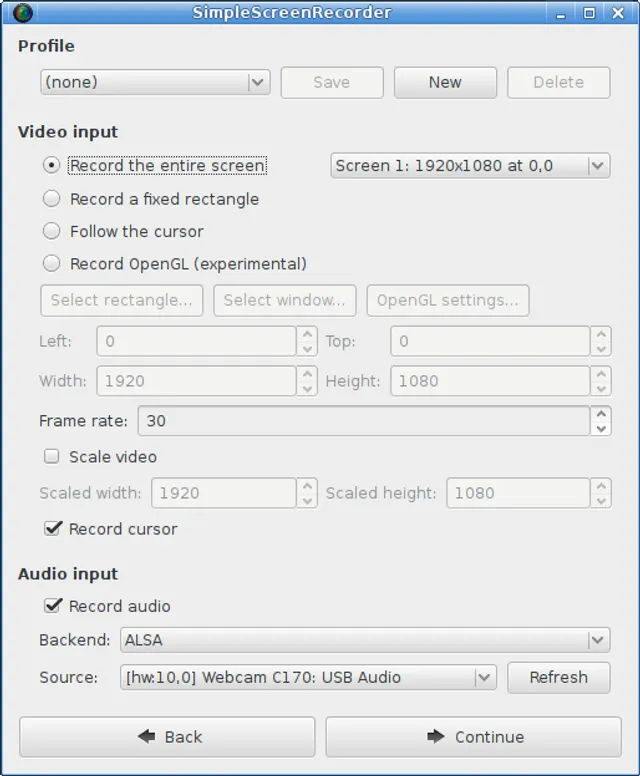
Open the recorder and choose the intended screen or region, frame rate and audio source.
Select an output location with enough space and a format supported by your installed encoders.
Record a short non-sensitive sample, stop it and check both the picture and the intended audio track.
Keep the source recording before editing or converting it elsewhere; this recorder does not provide Camtasia’s full editing workflow.
SimpleScreenRecorder is GPL-3.0 software without a recording subscription. Your Linux computer and local recording space are separate. It covers screen capture, not Camtasia’s complete video editor, asset library or team services. Check your display-session and audio-backend compatibility. The provider warns that simplescreenrecorder.com is not its official website.
Self-hosting & quickstart specs
License
GPL-3.0
Deployment
Local Linux screen recorder
Free edition / costs
Free Linux screen recorder. SimpleScreenRecorder is GPL-3.0 software without a recording subscription. Your Linux computer and local recording space are separate. It covers screen capture, not Camtasia’s complete video editor, asset library or team services. Check your display-session and audio-backend compatibility. The provider warns that simplescreenrecorder.com is not its official website. Pricing evidence.
Devices / hardware
Linux and compatible display/audio backends. Packages depend on the distribution; source builds need Qt and FFmpeg-related development dependencies. No verified RAM minimum is asserted.
No one-line command has been verified for SimpleScreenRecorder; follow its official installation instructions instead of guessing a Docker image or installer.
Mirror and control your Android device from a computer over USB or a configured network.
scrcpy is Apache-2.0 software with no paid mirroring tier or account requirement. You supply a compatible Android device, a computer and connection. USB screen mirroring requires Android 5.0+ and USB debugging; audio forwarding requires Android 11+. It does not unlock DRM-protected video, paid streaming catalogs or iOS support. Only the official Genymobile repository distributes this project.
Free, open-source software for video recording and live streaming.
The OBS Studio repository edition is available under GPL with documented installation or build instructions and no required source-license subscription. Build/setup work, your device or compute and storage remain your costs. This check covers that source edition; managed services, premium extensions and commercial relicensing, if offered, are not included or price-verified.
Powerful screen capture and file sharing tool for Windows.
The ShareX repository edition is available under GPL with documented installation or build instructions and no required source-license subscription. Build/setup work, your device or compute and storage remain your costs. This check covers that source edition; managed services, premium extensions and commercial relicensing, if offered, are not included or price-verified.
Screen recorder with instant sharing and a built-in editor.
Provider distribution is free for personal use with unlimited local recording time. Desktop commercial rights cost USD 29/user/year or USD 58 once; Cap Pro cloud is USD 12/user/month or USD 8.16/month billed annually. Optional SAML/BAA add-ons cost separately. Repository licensing is component-specific AGPLv3/MIT; publisher commercial-license offers are separate from those source rights.
Official site and README provide the macOS recorder as a source-available download; upstream MIT license permits use without a software license charge. Optional third-party export services are separate.

 scrcpyProduct logo · See the interface on the official website