

You do not have to begin with a paid chat subscription to try AI. Free cloud plans and local software can help with everyday questions, drafts, and explanations. They have different limits. The right choice depends on the task, your computer, and whether you want to install software.
Choose a free plan or a local setup
A cloud chat app usually runs the model on the provider’s servers. You open the app and use the features available in its current plan. Local AI runs a downloaded model on your device through a runtime or desktop application. Cloud plans are convenient but may limit messages, models, uploads, or busy-hour access. Local setups depend on memory and processing power. Neither approach guarantees better answers. Compare them with a small task before changing a workflow you rely on.
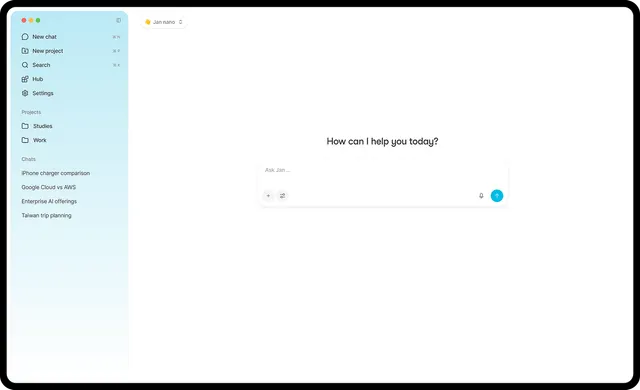
Know the parts of a local chat workspace
The model generates the answer. The runtime loads and runs that model. The interface gives you a place to write prompts and read replies. Ollama provides a model runtime, while interfaces such as Open WebUI can connect to supported local or remote providers. A free interface does not make a paid API free. Check which provider is connected, how usage is charged, and whether the model is actually running on your device. Read current installation instructions instead of assuming every model works with every application.
Start with one manageable model
Use the application’s official instructions to choose a model that fits your available memory. Leave space for downloads and for the other programs you use. Test a short prompt first, then a longer document. Record response time and whether the answer is useful. If the computer becomes slow, try a smaller supported model before buying hardware. Model names and benchmark scores are not enough to predict your experience. The model’s license may also place conditions on its use, separate from the interface license.
Test the tasks you need most
Try a factual explanation, a rewrite, a summary, and a question that the supplied information cannot answer. Check whether the tool admits uncertainty or invents details. If your work needs current web information, verify that search is available and inspect the original sources. A downloaded model alone does not have live knowledge of new events. If you need images, audio, or tool actions, test those features separately. Free access to text chat does not establish access to every extra capability.
Read privacy and access settings
Local operation can give you control over where a model runs, but plugins, web search, remote APIs, and telemetry may still send information outside the device. Review each connection before adding sensitive files. For a shared browser interface, check authentication and who can access uploaded documents. Keep backups of conversations or files you need. Do not expose a local server to the internet just to make it easier to open on your phone; use the project’s documented access controls.
Make a practical choice
Choose a free cloud plan if easy setup matters and its limits fit your task. Consider local software if you want deployment control and have suitable hardware. A mixed setup can also work: local drafting for routine material and a carefully selected cloud feature when needed. Compare total costs rather than only the interface price. AltStack’s alternatives pages let you filter for free options, and each AI profile explains the pricing evidence. Keep a paid subscription only when a feature you regularly need earns its cost.
Official instructions and sources
Ollama documentationOpen WebUI documentationJan documentationOriginal AltStack guide by Sushil Kumar Sah. Installation steps follow provider documentation; they do not imply testing on every supported device.