Platform information checked 2026-10-26. Use a currently supported Electron/OS combination; the provider lists macOS 13+ and documents platform-specific packages. macOS signing limitations apply. This listing does not recommend bypassing system protections or changing file quarantine settings.
Get recurring short and long break reminders while using your computer.
Free break-reminder app
The BSD-2-Clause app provides a free break-reminder workflow on your own computer. Contributions are optional; separately listed contributor preferences and third-party integrations should be reviewed before use. This comparison concerns break scheduling, not medical outcomes or every Time Out premium feature. The provider’s current macOS packages are ad-hoc signed.
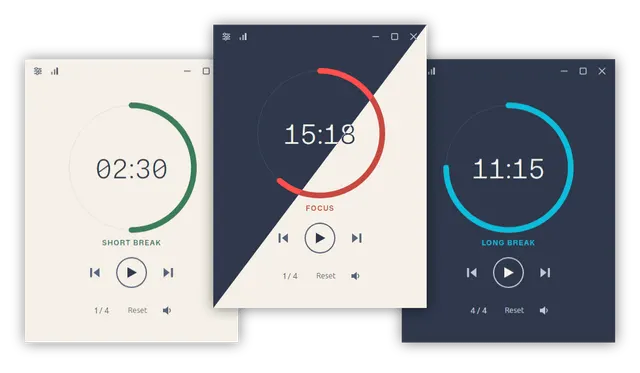
Schedule short and longer computer breaks with configurable reminders on Windows, macOS and Linux. Visit the project website to check the currently available deployment options.
Release status
Public provider installation or download instructions reviewed; AltStack did not execute this software.
Install on your computer · Instructions checked 2026-10-26
Open the official Stretchly README or website and choose a compatible package linked from GitHub Releases.
Read the current operating-system and application-signing notes, and follow your system’s installation policy.
Open Preferences and review the short and long break intervals before enabling your routine.
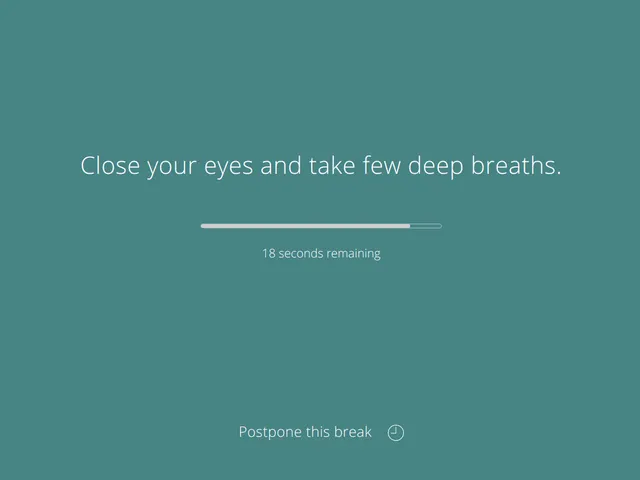
Use a short practice interval to see the reminder and its postpone/skip controls on your own system.
Adjust the schedule to your work. Break reminders are a productivity aid, not a diagnosis or promised health treatment.
The BSD-2-Clause app provides a free break-reminder workflow on your own computer. Contributions are optional; separately listed contributor preferences and third-party integrations should be reviewed before use. This comparison concerns break scheduling, not medical outcomes or every Time Out premium feature. The provider’s current macOS packages are ad-hoc signed.
Self-hosting & quickstart specs
License
BSD-2-Clause
Deployment
Local desktop break reminders
Free edition / costs
Free break-reminder app. The BSD-2-Clause app provides a free break-reminder workflow on your own computer. Contributions are optional; separately listed contributor preferences and third-party integrations should be reviewed before use. This comparison concerns break scheduling, not medical outcomes or every Time Out premium feature. The provider’s current macOS packages are ad-hoc signed. Pricing evidence.
Devices / hardware
Use a currently supported Electron/OS combination; the provider lists macOS 13+ and documents platform-specific packages. macOS signing limitations apply. This listing does not recommend bypassing system protections or changing file quarantine settings.
No one-line command has been verified for Stretchly; follow its official installation instructions instead of guessing a Docker image or installer.
Task manager with time tracking, focus mode, and deep work tools.
Official pricing explicitly says 100% free, no trials/premium tiers/hidden app costs, all features/platforms forever; optional sponsorship supports development. External sync or infrastructure providers are separate.
Track time automatically with privacy-first design.
ActivityWatch is offered free under MPL-2.0 and runs on your own devices. This is the local tracking software; your device and storage are your responsibility.
Effortless time tracking for open source projects.
Solidtime's Solo plan is free for one user with listed project, timesheet and reporting features and limited goals. Paid team/cloud plans and on-premise support have separate terms. Its AGPL self-hosted source requires your infrastructure and backups.
Keep focus and break rounds on your desktop with local session statistics.
Pomotroid is MIT-licensed software without a required timer subscription. Use your own computer and storage. It can replace selected Session focus-timer and local-history tasks, but does not include Session’s Apple-device cloud sync, app blocking or Slack integration. Provider binaries are currently unsigned; review the official release information and your system’s installation policy.
Official README calls Kimai free and open source and identifies a free/paid plugin marketplace. Cloud pricing is per user/month with a 30-day trial; displayed Standard prices are €2.99 annual or €3.99 monthly.
Track coding time effortlessly, gain insights instantly.
The Wakapi repository edition is available under MIT with documented installation or build instructions and no required source-license subscription. Your server, storage, backups and administration remain your costs. This check covers that source edition; managed services, premium extensions and commercial relicensing, if offered, are not included or price-verified.