
Free PDF tools · optional license
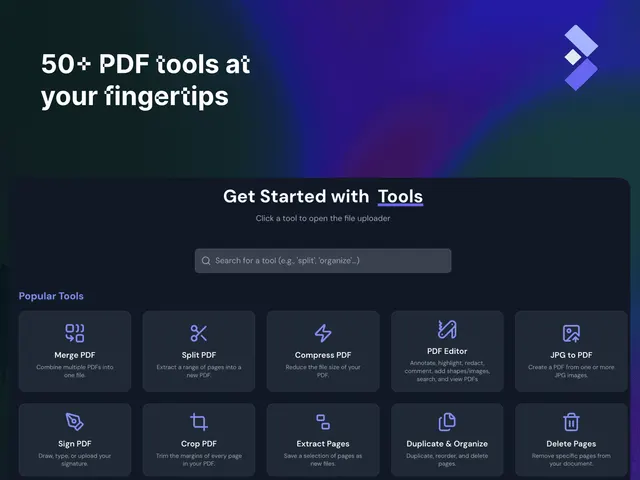
Merge, split, edit and convert PDFs in your browser.
Free tools · optional commercial license
16kstars—30 daysAGPL-3.0
USE INSTEAD OF
Document Editors
Platform information checked 2026-10-26. Use a compatible package from the official Releases page. Check release age and operating-system support before installing; an actively updated repository does not prove every binary is recent.
Official app downloads and supported devicesEdit Markdown documents locally with formatting visible as you write.
The MIT-licensed desktop editor is free software. Your device, file storage and any separate sync or backup service are your responsibility. It works with local Markdown files; it does not include Ulysses’ iCloud workspace, iPhone/iPad apps or every publishing workflow.
Pricing checked .
Check official pricing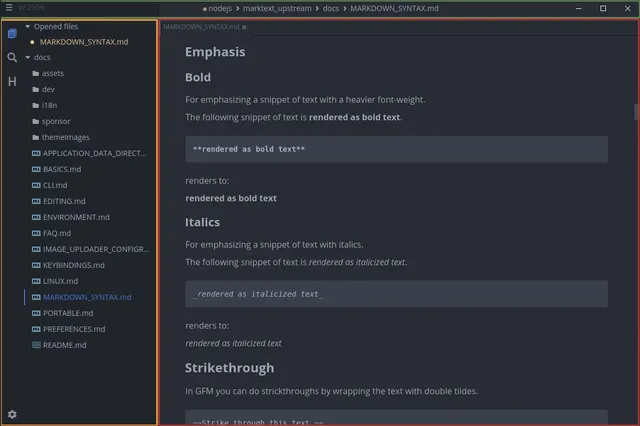
Write local Markdown documents with a live editing view, code blocks, tables and mathematical notation. Visit the project website to check the currently available deployment options.
Public provider installation or download instructions reviewed; AltStack did not execute this software.
Availability checked 26 Oct 2026. Check the provider’s release or installation information
The MIT-licensed desktop editor is free software. Your device, file storage and any separate sync or backup service are your responsibility. It works with local Markdown files; it does not include Ulysses’ iCloud workspace, iPhone/iPad apps or every publishing workflow.
No one-line command has been verified for MarkText; follow its official installation instructions instead of guessing a Docker image or installer.
MarkText provider setup documentationTechnologies recorded in the catalog snapshot.
Merge, split, edit and convert PDFs in your browser.
Free tools · optional commercial license

Handwrite notes, draw diagrams and annotate PDF files with a desktop app.
Free desktop notes · optional LaTeX setup
 CryptPadProduct logo · See the interface on the official website
Secure collaboration with end-to-end encryption.
Provider links free accounts on public instances and AGPL self-hosting. Flagship CryptPad.fr subscriptions span EUR 5–100/month; dedicated managed/on-premise support starts at EUR 1,500/year, with configuration-specific quotes. Public instances set their own limits; your own server resources and operations are separate.

Complete office suite for documents, spreadsheets & more.
We have not checked this tool’s current pricing. Visit its official website before choosing a plan.
 PDF ArrangerProduct logo · See the interface on the official website
Merge, split, rotate and reorder PDF pages on your computer.
Free local PDF pages · selected Acrobat tasks
Scan documents and save searchable PDFs on your computer.
NAPS2 is free for individuals and businesses, with no ads or unwanted software. You supply compatible scanner hardware, drivers, computer and storage. Optional donations are separate; no hosted OCR or paid model allowance is included.