Platform information checked 2026-10-27. Choose a provider build compatible with your operating system and graphics stack. Language support can need separate language servers. Remote development requires your own reachable host and its credentials; no universal RAM minimum was verified.
Edit code in a Rust desktop editor with language-server features, optional modal editing and remote-development support.
Free open-source code editor
The Apache-2.0 editor is free to use without an editor subscription. Language servers, remote machines, optional services and plugins have separate setup and terms. Lapce offers local coding features as an alternative to Sublime Text; plugin compatibility and remote-development behavior differ.
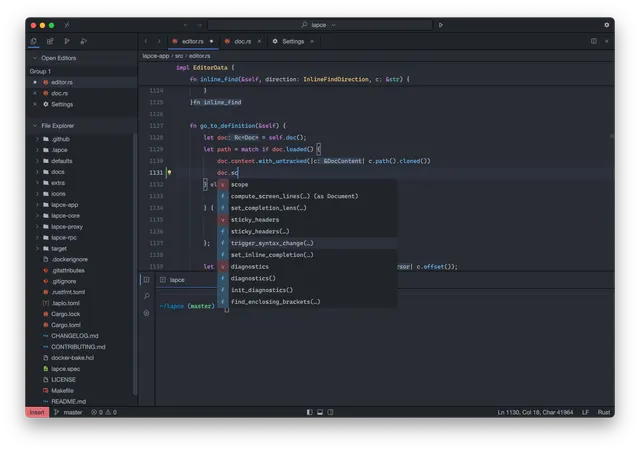
Lapce · Provider capture editing Lapce’s own Rust source; the documentation may show an earlier release.Product image: Lapce contributors · Apache-2.0 · Original image; layout scaled to fit. Provider capture editing Lapce’s own Rust source; the documentation may show an earlier release. Full notice.Logo: Lapce contributors · Apache-2.0 · Original image; layout scaled to fit. Original project logo; no endorsement implied. Full notice.
About Lapce
Edit code in a Rust desktop editor with language-server features, optional modal editing and remote-development support. Visit the project website to check the currently available deployment options.
Release status
Public provider downloads or installation instructions reviewed; software was not installed or executed by AltStack.
Install on your computer · Instructions checked 2026-10-27
Open the official Lapce download or Releases page and choose a compatible stable package.
Install it following the provider documentation for your operating system.
Open a small project folder and check basic editing and saving before using important work.
Set up the language server or plugin needed by that project and inspect diagnostics on a known example.
Try remote development separately with a host you control; check file access, connection and service costs before relying on it.
The Apache-2.0 editor is free to use without an editor subscription. Language servers, remote machines, optional services and plugins have separate setup and terms. Lapce offers local coding features as an alternative to Sublime Text; plugin compatibility and remote-development behavior differ.
Self-hosting & quickstart specs
License
Apache-2.0
Deployment
Local desktop editor; optional remote development
Free edition / costs
Free open-source code editor. The Apache-2.0 editor is free to use without an editor subscription. Language servers, remote machines, optional services and plugins have separate setup and terms. Lapce offers local coding features as an alternative to Sublime Text; plugin compatibility and remote-development behavior differ. Pricing evidence.
Devices / hardware
Choose a provider build compatible with your operating system and graphics stack. Language support can need separate language servers. Remote development requires your own reachable host and its credentials; no universal RAM minimum was verified.
No one-line command has been verified for Lapce; follow its official installation instructions instead of guessing a Docker image or installer.
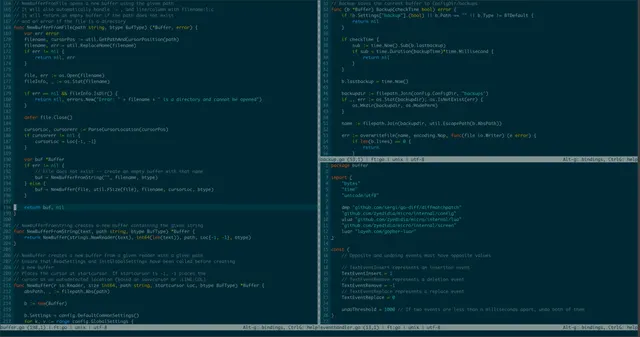
Hyperextensible, Lua-powered Vim-based text editor.
The Neovim repository edition is available under Apache-2.0 with documented installation or build instructions and no required source-license subscription. Build/setup work, your device or compute and storage remain your costs. This check covers that source edition; managed services, premium extensions and commercial relicensing, if offered, are not included or price-verified.
Use a full editor with a documented local model connection.
The Personal editor is free. Zed-hosted Pro is USD 10/month with USD 5 included tokens and usage billing beyond that; Business is USD 30/seat/month. Pro has a trial ending after 14 days or exhaustion of its USD 5 trial balance. External models, provider accounts and local hardware have separate costs.
Edit local or SSH-session text files in a terminal with familiar shortcuts, split panes and syntax highlighting.
Micro is MIT-licensed software with no required editor subscription. Your computer, terminal and optional SSH host are separate. It can replace local text-editing tasks, but it is not Sublime Text’s graphical interface or an included cloud development service. Third-party plugins and clipboard behavior need their own review.
The provider and official README explicitly commit to CodeEdit being free forever; actual source license is MIT. You provide a compatible Mac and any external developer tools/services. No cloud or model allowance is bundled.
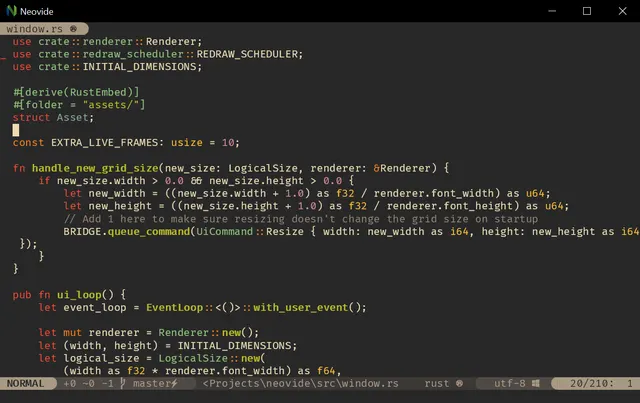
Use Neovim through a graphical desktop front end with configurable text rendering and cursor effects.
Neovide is MIT-licensed software with no required application subscription. It needs a compatible Neovim installation and your own device. It can cover modal code-editing tasks; it is a front end for Neovim rather than a standalone Sublime Text feature clone. Plugins and remote services can add their own requirements or costs.