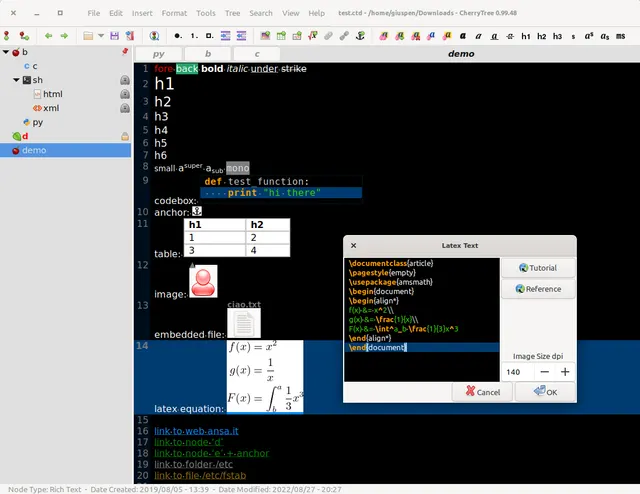
Organize notes, code and attachments in a notebook tree.
Free local notebook
CherryTree is GPL-3.0-or-later software with free desktop downloads. Its local rich-text notebooks do not require a paid note-taking account. Hardware, backup storage and any separate synchronization service are your own costs. Password protection extracts an unencrypted temporary copy while a protected single-file notebook is open.
Organize rich-text notes, code snippets and attachments in a local notebook tree. Visit the project website to check the currently available deployment options.
Release status
Official public installation packages are available. Choose the documented package for your operating system; software availability does not establish installation testing by AltStack.
Install on your computer · Instructions checked 2026-10-16
Open the official CherryTree download section or its linked GitHub release. Windows has a 64-bit installer and portable archive; Linux has distribution packages, AppImage and provider-linked Flatpak/Snap routes. The provider links community-maintained macOS installers, Homebrew and MacPorts.
Install a package that matches your operating system and launch CherryTree. Start a notebook and create a small hierarchy of notes with rich text or syntax-highlighted plain text. Try a sample attachment before adding important material.
Save the notebook to a location you recognize. CherryTree supports single-file XML/SQLite storage or multiple files and directories. Password protection applies only to single-file storage, and an unprotected temporary copy exists while that notebook is open.
Try exporting a sample node to HTML, plain text or PDF and reopen the result. Keep a separate backup of the saved notebook before imports, bulk changes or storage-format changes.
CherryTree is free GPL-3.0-or-later software for a local note hierarchy with rich text, code boxes and attachments. macOS distribution is maintained by linked community packagers; consult that chosen channel for exact OS requirements. The official website marks its old user manual discontinued, so do not assume old screenshots or menu positions describe version 1.7.2. External backup/sync services have separate costs and privacy behavior.
Organize notes, documents, and projects in one workspace.
The cloud Personal plan is USD 0 with limits. Pro costs USD 20/member/month billed monthly, or USD 16/member/month billed annually. Self-hosting and optional external models use your own resources and may incur separate costs.
AI second brain for research, automation, and personal agents.
The project provides a self-hosted free-software option. Running a server and using cloud model or search APIs can cost money; local models use your hardware. The managed service has separate plans whose current amounts were not established in this check.